Step 1
Owner adds completed customers
A business can add customers manually, import previous customers, or use the customer request portal when the business is using the webapp workflow.
Customer follow-up and review request software
Product demo
ReviewFlow gives small businesses a practical workflow for customer follow-up, Google review requests, private feedback, customer portal requests, and owner/staff alerts.
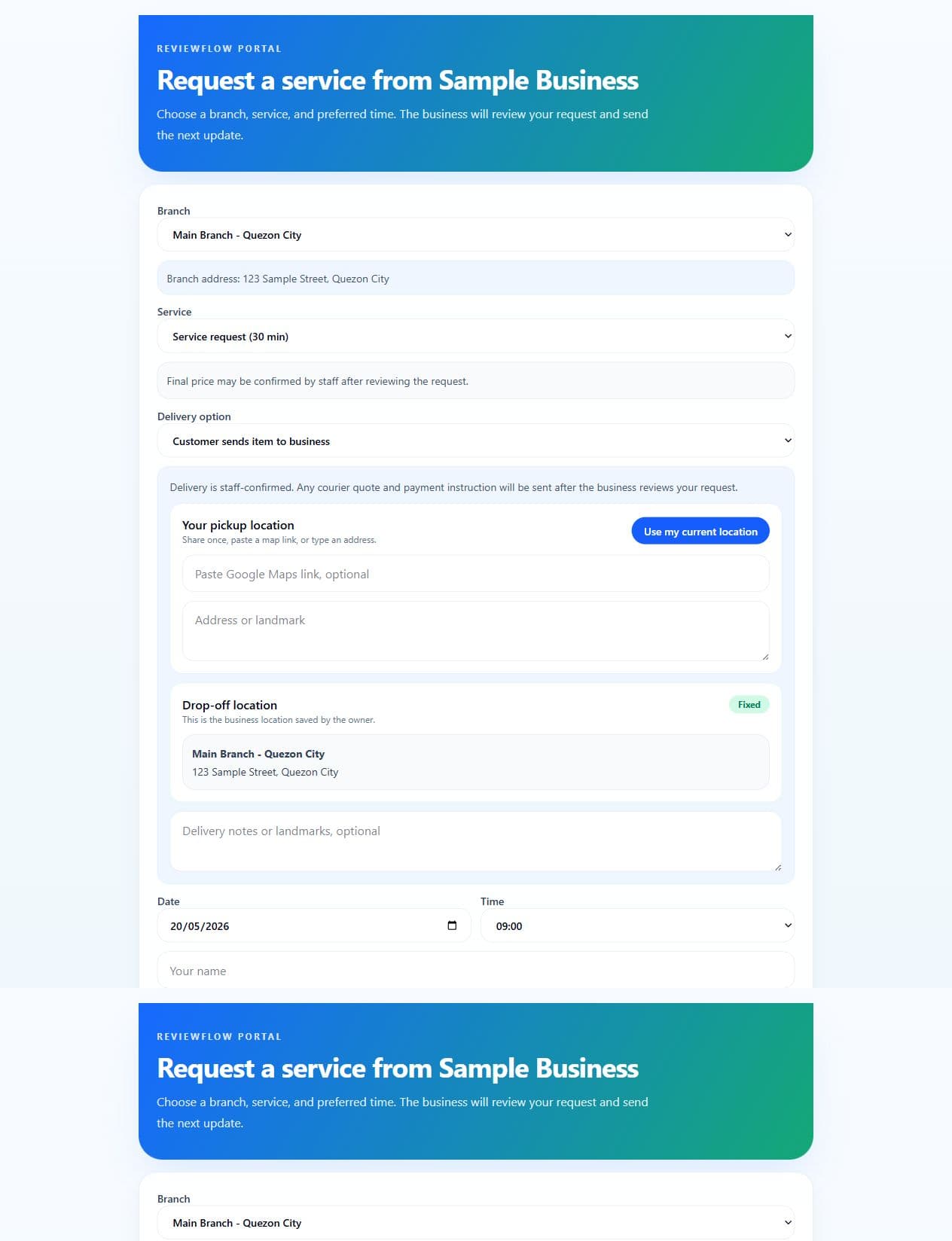
Public preview image. The customer portal can be customized with each business's name, services, branches, availability, and policies.
Quick answer
ReviewFlow helps businesses follow up after completed work, ask customers for reviews, collect private feedback, and track what happened afterward. It is designed for owners who want a focused review workflow instead of a heavy CRM.
Step 1
A business can add customers manually, import previous customers, or use the customer request portal when the business is using the webapp workflow.
Step 2
The follow-up points customers toward the business review link while keeping duplicate sends and request history visible to the owner.
Step 3
A happy customer can continue to the public review link. A customer with a concern can use the private feedback path so the business can review it directly.
Step 4
The dashboard shows request status, blocked duplicates, private feedback, portal activity, and the next items that need attention.
Owner dashboard
The owner sees customers, review request status, duplicate protection, private feedback, package access, and setup progress in one place.
Customer portal
For Plus and Pro workflows, customers can submit requests through a portal that reflects the business name, services, branches, availability, and policies.
Private feedback
ReviewFlow does not replace public reviews. It gives customers a private route when something needs attention, while still keeping the public review path available.
Telegram alerts
Pro workflows can use Telegram for alerts about new requests, completed services, delivery/payment updates, daily summaries, and private feedback.
Package fit
Basic focuses on review follow-up. Plus adds the webapp, customer portal, services, branches, and operations. Pro adds Telegram alerts and command-center style visibility for owners and staff.
The ReviewFlow demo explains the customer follow-up workflow, the owner dashboard, the customer portal, private feedback, review request tracking, and optional Telegram alerts.
Yes. ReviewFlow is website-first. Customers can use the customer portal or follow-up links in a browser without downloading a separate app.
No. ReviewFlow helps businesses send review requests and guide customers to the business's own public review link. Customers still choose whether to leave a public review.
No. Telegram is optional. It is useful for owners or staff who want alerts and summaries in their Telegram app, but ReviewFlow can still run from the web dashboard.